
Automatic mileage tracking with CarPlay
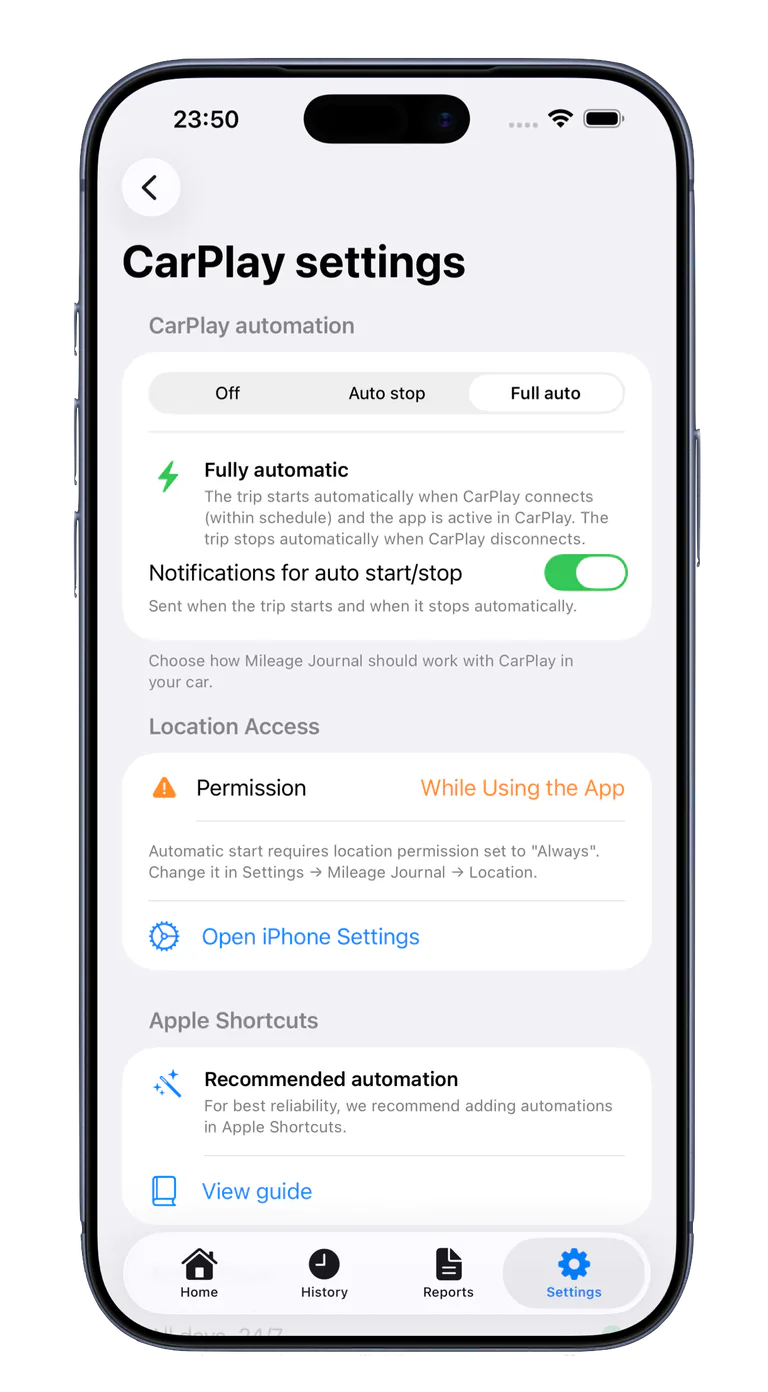
Let Mileage Journal start and stop journeys automatically with CarPlay, so business mileage is easier to remember.
A UK mileage log app with no monthly fee. Track journeys with GPS, CarPlay, or manual entry. Start free and unlock unlimited PRO for one £14.99 purchase. Record business purpose, projects, vehicles, drivers, and optional odometer readings, then export PDF or CSV mileage reports for claims, accounting, or your own records.
Choose miles and GBP in Settings. Journal data is stored locally and can sync through your private iCloud database.
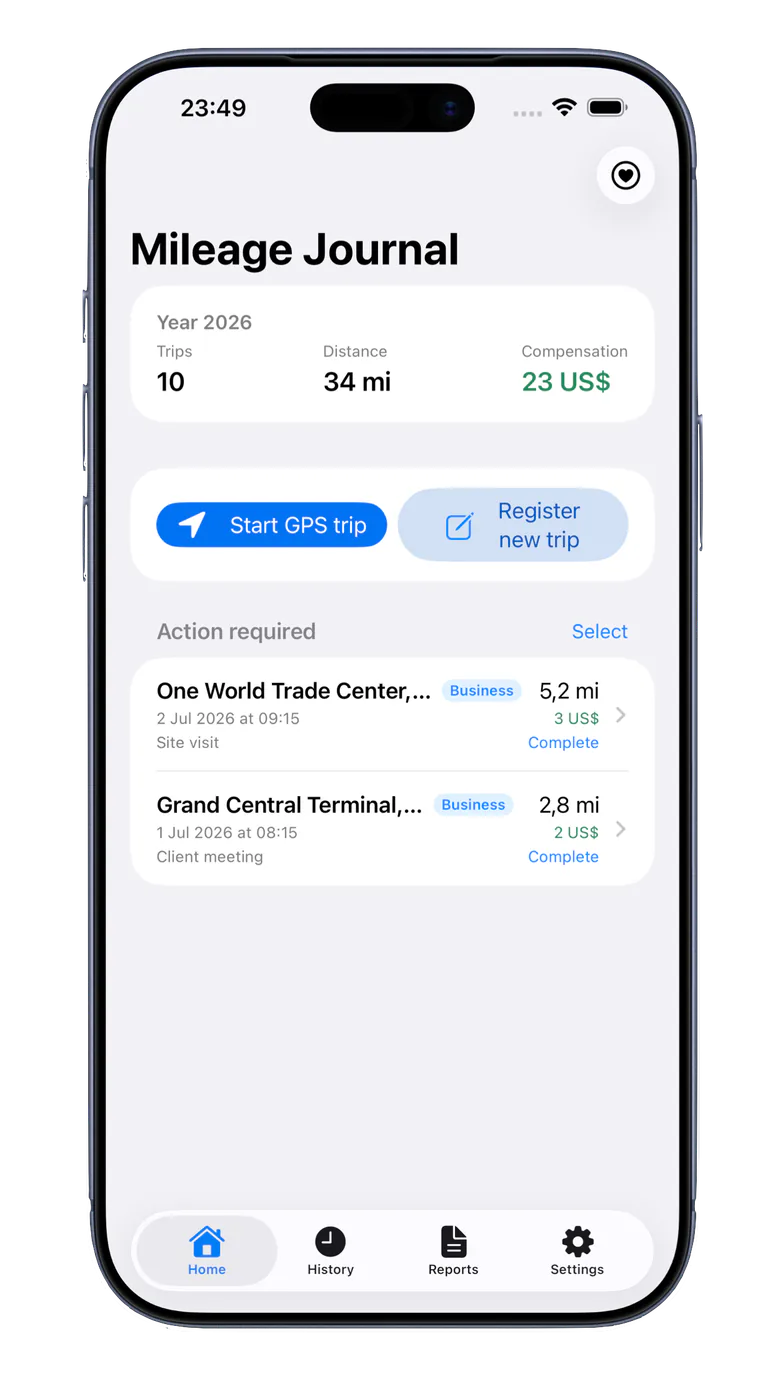
A focused mileage log for people who need clear business journey records.
Let Mileage Journal start and stop journeys automatically with CarPlay, so business mileage is easier to remember.
Keep journeys organised when you work with more than one company, driver, or vehicle.
Save favourite purposes and assign journeys to projects or project numbers.
Manual journeys and changes after finalisation are marked in PDF reports.
Each journey keeps its saved rate, allowing one report to total journeys with different rates correctly.
No ads or third-party analytics. Your data stays on your devices and in your iCloud account.
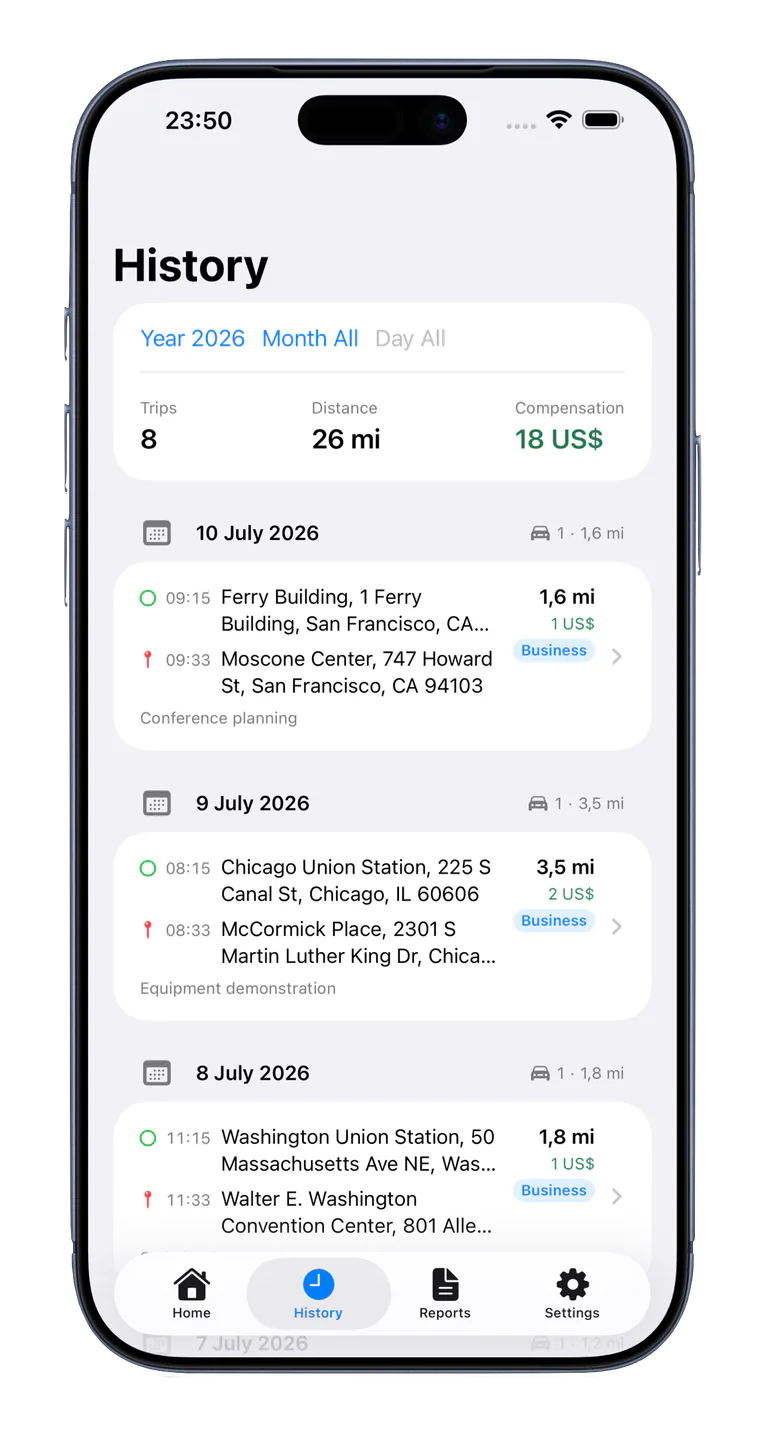
See journeys grouped by day with start, destination, times, daily totals, and clear business or private labels.
Mileage Journal can suggest business or private based on the work schedule you choose.
Record completed servicing, repairs, inspections, and costs for each vehicle.
Version 2.0 expands Mileage Journal from journey tracking into a practical vehicle record, while making daily journey completion and reporting faster.
Record servicing, repairs, inspections, tyres, fuel, charging, insurance, taxes, fees, costs, odometer readings, suppliers, and notes. Add photos, scanned image pages, or existing image and PDF files.
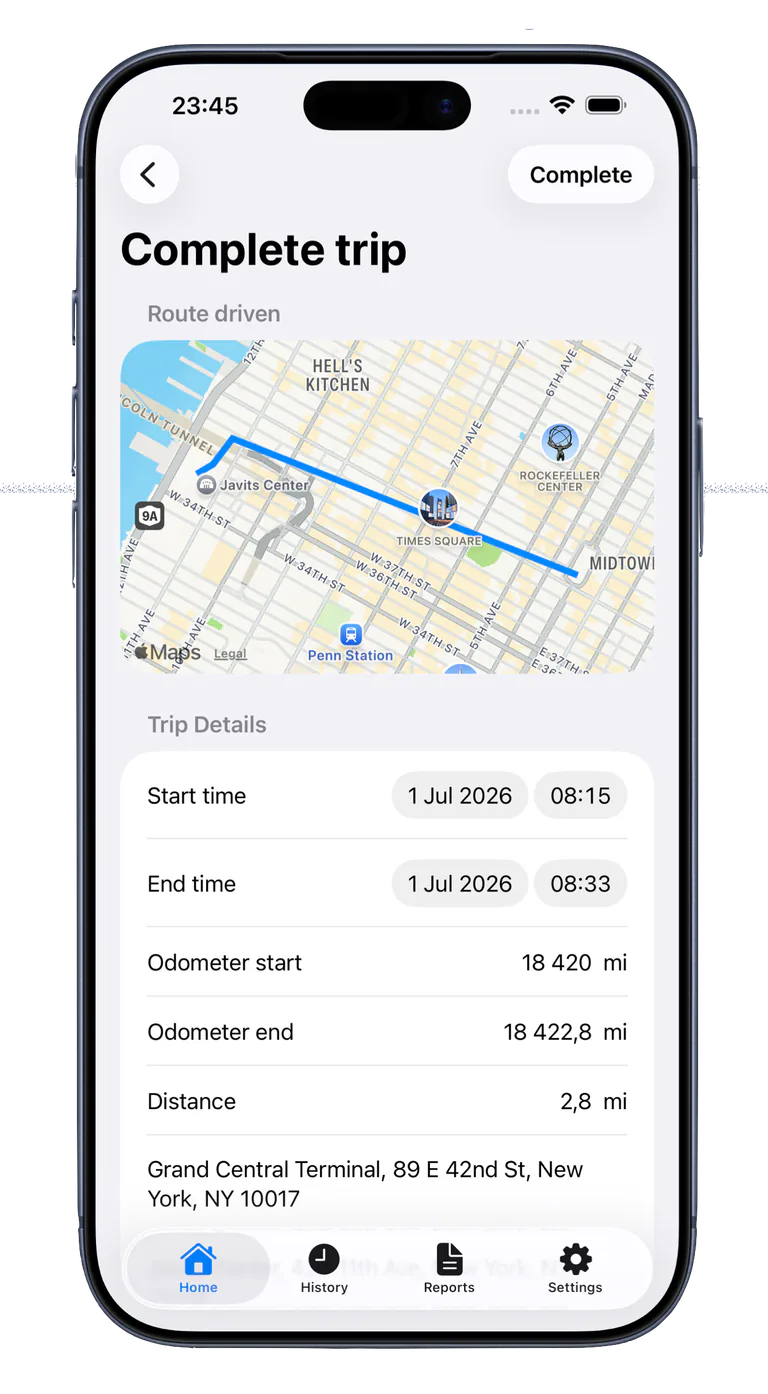
Select all visible unfinished journeys, add one shared purpose, and approve multiple journeys in one step.
Follow an active GPS journey on the Lock Screen and, on supported iPhones, in the Dynamic Island. Adjust the starting odometer before or during the journey without changing earlier records.
Choose miles or kilometres for the app and individual vehicles, use a separate unit for company mileage rates, and decide per company whether private journeys receive an allowance.
PDF and CSV reports use regional dates, numbers, currencies, units, and address order. Journey times are optional, and vehicle reports can include image and imported PDF attachments.
AutoStart, AutoStop, background handling, and CarPlay reliability have been improved. Automatic tracking can still be affected by iOS, permissions, GPS reception, and connections.
Reports can include dates, start locations, destinations, business purposes, miles, optional odometer readings, calculated mileage allowance, and period totals.
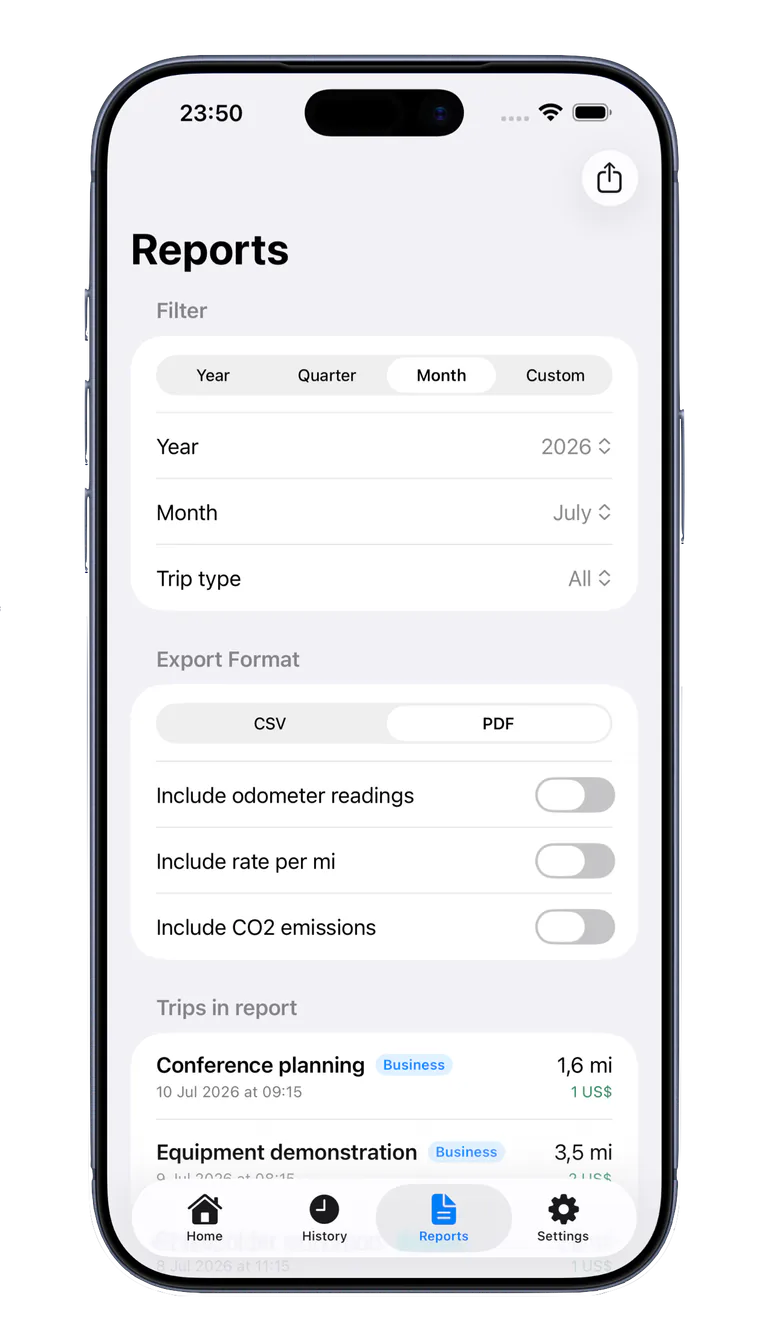
Mileage Journal does not automatically choose an HMRC or employer rate. Enter the rate that applies to you and check the current rules or your employer's policy.
The app supports record keeping; it does not guarantee that a journey or claim qualifies for tax relief or reimbursement.
During normal use, MPK Tec AB does not collect or store data from the app. Journal data and attachments stay on your device and can sync through your private iCloud database. The app has no third-party analytics or advertising, and MPK Tec AB does not sell user data.
Drivers and small businesses value automatic tracking, flexibility, and a one-time purchase instead of another subscription.
“I appreciate that it automatically does the tracking when I start a journey, and I also appreciate the schedule function.”
“I’d gladly pay a little more as a one-time purchase — especially compared with expensive subscription models.”
Record up to five journeys for free. PRO adds unlimited journeys and automation for one £14.99 purchase with no subscription.
One-time in-app purchase: £14.99. No subscription.
Yes. Select miles as the distance unit in Settings. Currency can follow the iPhone region or be set to GBP.
Yes. Employees can record business journeys and export PDF or CSV reports, but should confirm the records and rates required by their employer.
No. You enter the mileage rate that applies to you. Each trip retains its saved rate so reports can total journeys that use different rates.
Yes. Journeys can be classified and filtered as business or private.
Yes. Manually entered journeys and journeys changed after finalisation are marked in PDF reports for more transparent record keeping.
Yes. You can record up to five journeys for free. PRO adds unlimited journeys and automatic tracking for one £14.99 purchase. Mileage Journal is a UK mileage log app with no monthly fee or subscription.
Yes. Mileage Journal can start and stop journeys automatically with CarPlay and shows an active GPS journey directly in the car.
No. Requirements depend on your circumstances. You are responsible for checking that your records and claims meet the rules that apply to you.
Download Mileage Journal and create your first journey report.